
Withdrawals
You withdraw your balance in USDT to your own wallet (TRON TRC-20 or Ethereum ERC-20).
Add a wallet
- Open Withdrawals and click Add wallet.
- Choose the network and paste the address. Double-check the network: funds sent to an address in another network are lost.
- Optionally give the wallet a name and click Add wallet.
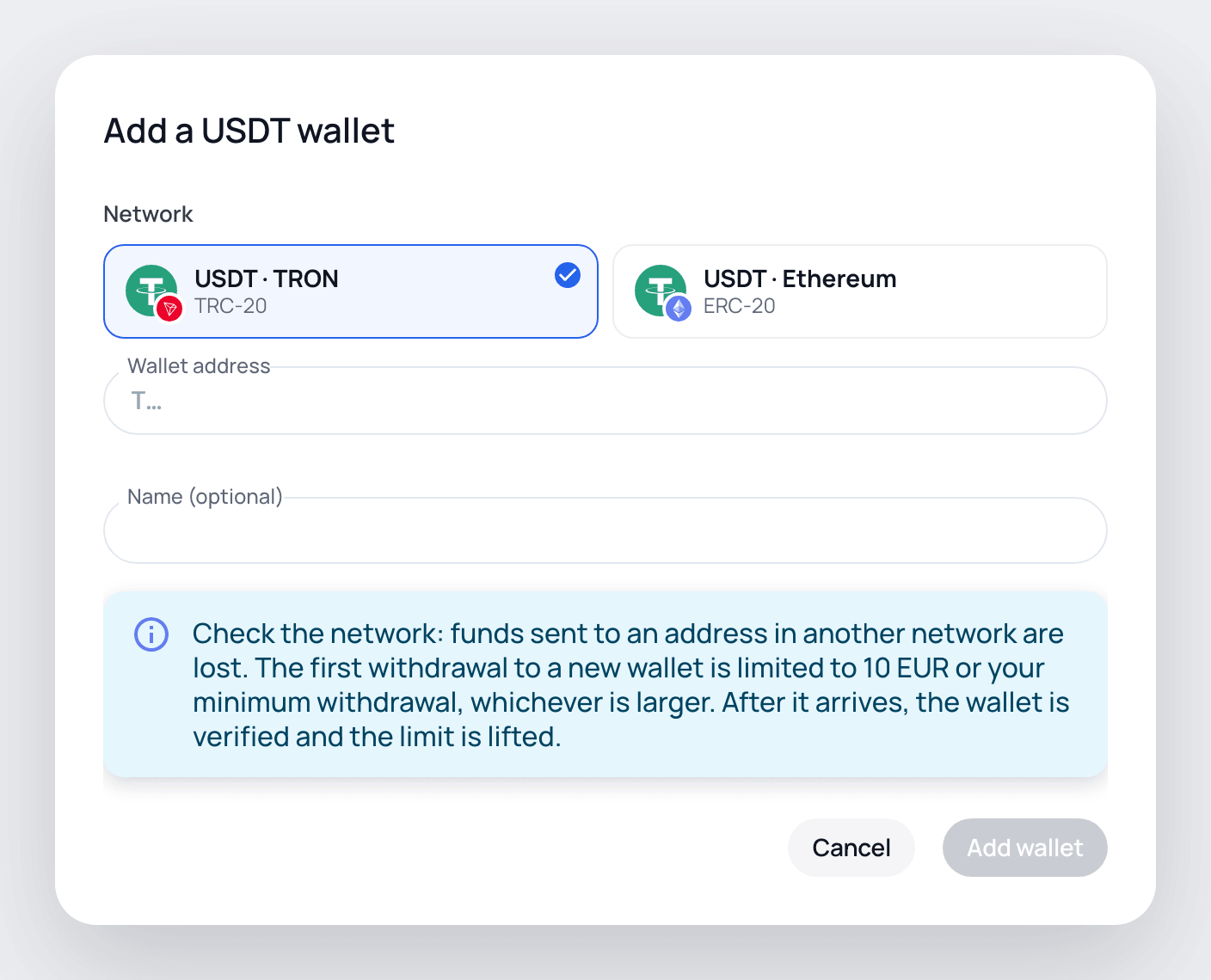
A new wallet is not verified. The first withdrawal to it is limited to 10 EUR, or to your minimum withdrawal if that is larger. When that withdrawal arrives, the wallet becomes verified and the limit no longer applies. This protects you from a mistyped or substituted address.
Fee, minimum and exchange rate
Your current terms are shown on the Withdrawals page under Withdrawal terms.
- Fee — a percentage of the payout, included in the amount you withdraw: you enter the EUR debited from your balance, and the fee is taken out of it before the rest is converted to USDT. The network fee (TRX or ETH) is covered by us.
- Minimum withdrawal — the smallest amount in EUR you can withdraw. If your balance stays below the minimum, it is paid out only when the contract is terminated: contact support, and the remaining balance is sent to your wallet as part of the termination.
- Exchange rate — your balance is in EUR, withdrawals are in USDT. The EUR/USDT rate is fixed every hour; the rate fixed at the moment you confirm a withdrawal is used for it and shown in the withdrawal details.
- Max — withdraws your whole available balance: it goes to exactly 0, nothing stays behind because of rounding.
Your fee and minimum are set in your agreement; contact us if you need different terms.
Withdraw
- Click Withdraw, choose the wallet, enter the amount in EUR to debit from your balance, fee included (or click Max), and click Continue.
- Check the quote: the USDT you receive, the payout and the fee in EUR, the total debited from your balance and the exchange rate with the time it was fixed. Then click Confirm withdrawal. If the rate or your balance changed in the meantime, you are asked to get a new quote and confirm again.
The amount is held on your balance and the rate is fixed at this moment.
Statuses
| Status | Meaning |
|---|---|
| Ordered | The amount is held; the withdrawal waits for review. You can still cancel it. |
| Approved | Our team approved the withdrawal; it is queued for sending. |
| Sending | The transaction is being sent to the network. |
| Completed | The USDT arrived in your wallet. |
| Rejected | The withdrawal was declined; the held amount returned to your balance. The reason is shown in the list. |
| Canceled | You canceled the withdrawal before review; the amount returned to your balance. |
In test mode a crypto withdrawal is really sent in test USDT on the test networks (TRON Nile, Ethereum Sepolia), without a review, and marked Test: withdraw to a testnet wallet. A bank withdrawal in test mode is only simulated (no test money leaves through a bank).