
Going live
Before you request it
Live mode means real banks and real money, so make sure your integration passed the checklist in Testing: payments and their webhooks, and — if you pay your customers — top-ups, payouts and their webhooks. Have ready:
- your API key on the server (the same key works live) and your webhook URL answering
200 OKwith signature verification; - a result page for every
paymentStatus; - for payouts: the limits you need — the defaults are in Payouts; ask for individual ones in the request comment.
Requirements
You can request live mode when a test payment created through the API with your API key reached COMPLETED.
The demo payment from the dashboard does not count.
Send the request
- Click Go live at the top of the menu on the left (it is on every page of the cabinet; the Test mode banner has the same button). Until a test payment through the API is completed, the button takes you to the Next steps list on the dashboard.
- The Request live mode dialog opens. Check the list: API key created, webhook URL set, a test payment created through the API was completed.
- Add a comment for the reviewer if you like and click Send request.
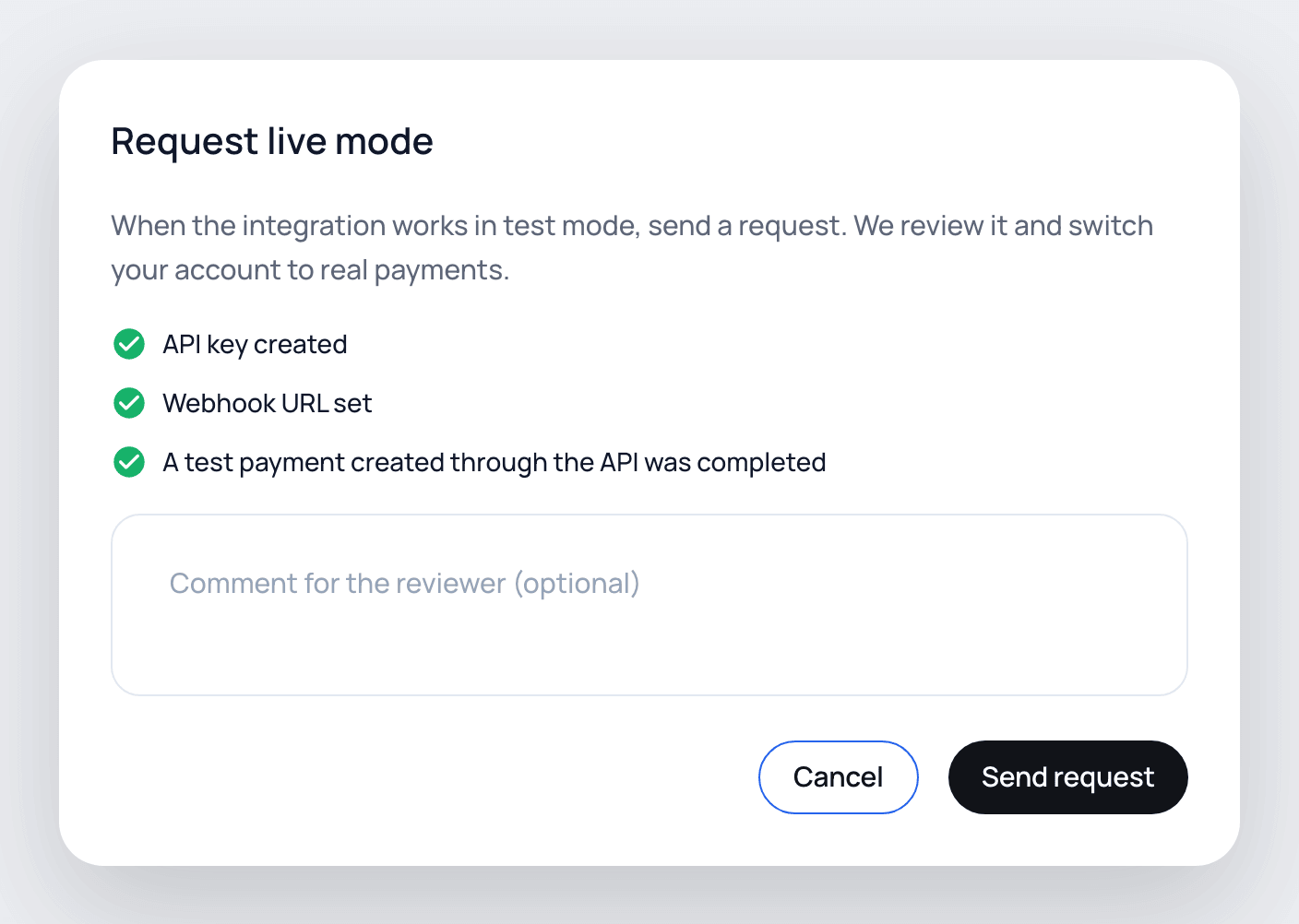
We review the request and switch your account. While we review it, the button shows Under review; after the switch the menu shows Live mode, and you get an email. If we decline the request, the reason is shown in the same place and you can send a new one.
After the switch
- Test banks disappear from the checkout; real banks are available.
- The 5 EUR limit no longer applies.
- Test transactions stay in Transactions with the Test mark; test balance is not carried over.
- Your API keys, webhook URL and settings stay the same — no code changes are needed.
- You start with your live balance. Fund it with your customers' payments, a bank top-up or USDT.
- USDT deposit addresses change: the test addresses stay credited to the test balance; on the Top up page you get new, live addresses. Never send real USDT to a test address.
- Payouts and withdrawals are sent for real, on the TRON and Ethereum mainnets.
Questions
Something unclear in the review or in your terms? Email [email protected] or open the chat: