
Payouts to customers
Besides withdrawing your own balance (see Withdrawals), you can pay your customers in USDT straight from your balance: a refund, a prize, a cashback, a partner's share. A payout goes to any TRON (TRC-20) or Ethereum (ERC-20) address you give us, it is ordered in the cabinet or through the API, and within your limits it is sent automatically within minutes, no review needed.
How it differs from a withdrawal
| Withdrawal | Payout to a customer | |
|---|---|---|
| Goes to | your own, verified wallet | any address you give |
| Amount | from your minimum withdrawal (e.g. 250 EUR) | small: from 10 EUR up to your per-payout limit |
| Approval | reviewed by our team | automatic within your limits |
| Fee | % included in the amount | % plus a fixed fee per transfer, charged on top |
| Limits | none | per payout, per address per day, per day, per month |
Payouts are for paying other people small amounts fast. To move your own money, use Withdrawals: it is cheaper and has no daily limits. The limits exist to keep payouts what they are for.
Fee
Each payout costs a percentage of the amount plus a fixed amount per transfer that depends on the network
(Ethereum transfers cost more than TRON ones). The fixed part covers the network fee, so nothing else is charged
for it. Both are charged on top: the customer receives exactly the amount you order, your balance is debited
the EUR equivalent plus the fee. Your current fee is shown in the cabinet under Payouts → Payout terms and
limits and returned by GET /v2/payouts/limits.
Example with a 2 % fee and 2 EUR per transfer on TRON: a payout of 110 USDT at 1 EUR = 1.10 USDT debits 100 EUR + 2 EUR + 2 EUR = 104 EUR; the customer gets 110 USDT.
Amount in USDT or EUR
You can order the amount in USDT (the customer receives exactly that) or in EUR (we convert it at the
fixed rate and the customer receives the USDT it buys). The EUR/USDT rate is fixed every hour; the rate at
the moment of the order is used and shown in the payout. GET /v2/rate returns the
current fixing.
Limits and automatic approval
Your limits are set in your agreement and shown in the cabinet. Defaults:
| Limit | Default |
|---|---|
| Minimum payout | 10 EUR |
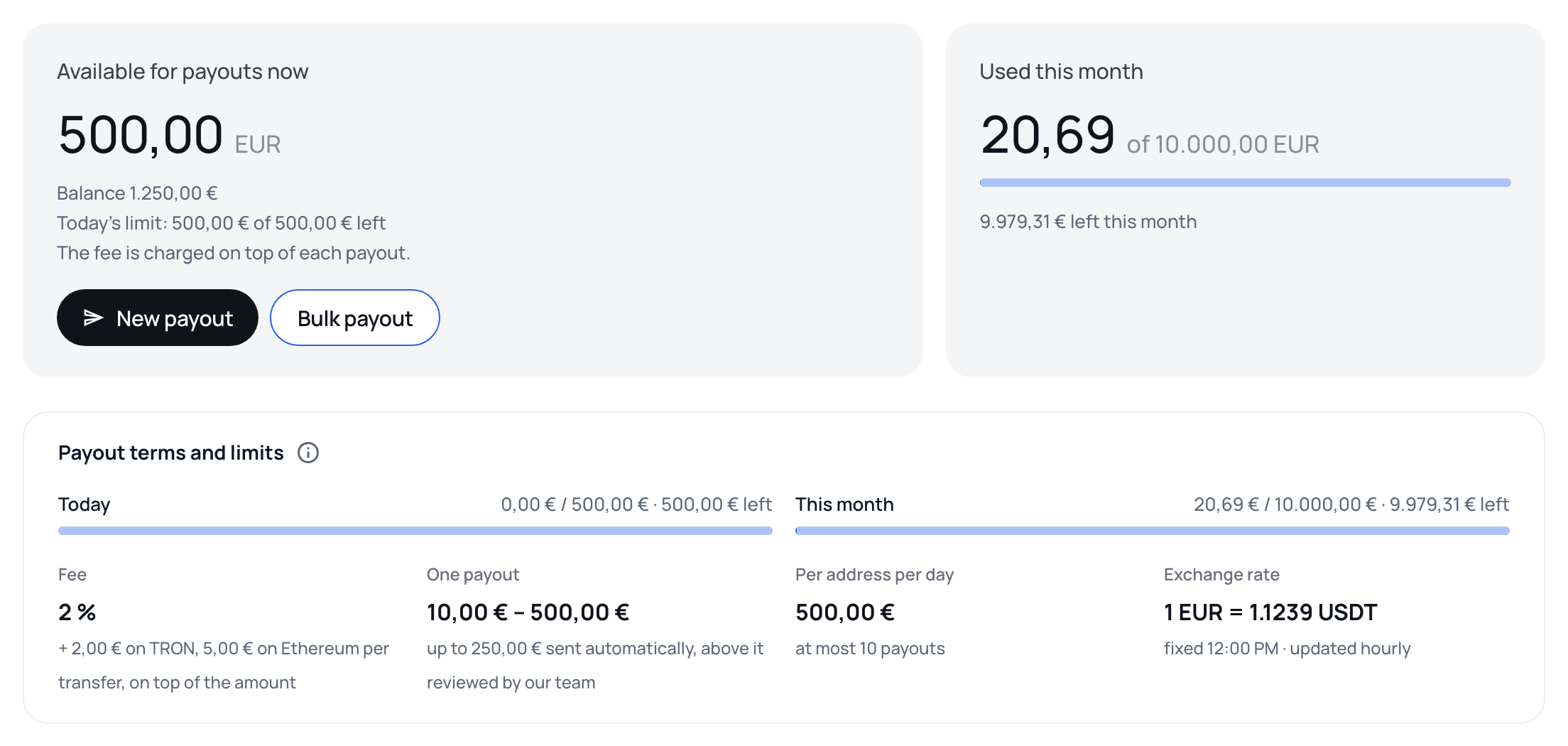
| Sent automatically up to | 250 EUR per payout |
| Maximum payout | 500 EUR; a bigger request is refused |
| Per address per day | 500 EUR and 10 payouts |
| Per day | 500 EUR, all payouts together |
| Per month | 10 000 EUR |
A payout within every limit and up to the automatic cap is approved at once and sent within minutes.
A payout above the automatic cap (but within the maximum) gets the status REVIEW: our team checks it and
sends it or rejects it, you get a webhook either way. A request over any limit is refused with the code
payout_limit_exceeded and the amount left under that limit. Limits count per
calendar day and month (UTC); the day resets at 00:00 UTC.
The values above are the defaults. Every limit, the fees and the automatic cap are set per merchant: if your
business needs other terms — larger payouts, a higher daily or monthly volume, more payouts to one address, a
different fee — we agree individual conditions with you, and the new values appear in the cabinet and in
GET /v2/payouts/limits as soon as they are set.
Need higher limits? Email [email protected] with your expected volumes, or open the chat:
Statuses
| Status | Meaning |
|---|---|
ORDERED | The amount is held on your balance; the payout waits to be processed. You can still cancel it. |
REVIEW | Above your automatic cap: our team reviews it. You can still cancel it. |
APPROVED | Approved (automatically or by our team); queued for sending. |
SENDING | The transaction is being sent to the network. |
COMPLETED | The USDT arrived at the address. tx_hash is set. |
FAILED | The transfer could not be sent; the held amount returned to your balance. |
REJECTED | Our team declined it; the reason is in reject_reason, the amount returned to your balance. |
CANCELED | You canceled it before approval; the amount returned to your balance. |
Once a payout is APPROVED or later it cannot be canceled: a blockchain transfer cannot be reverted. Check the
address before you confirm.
In the cabinet
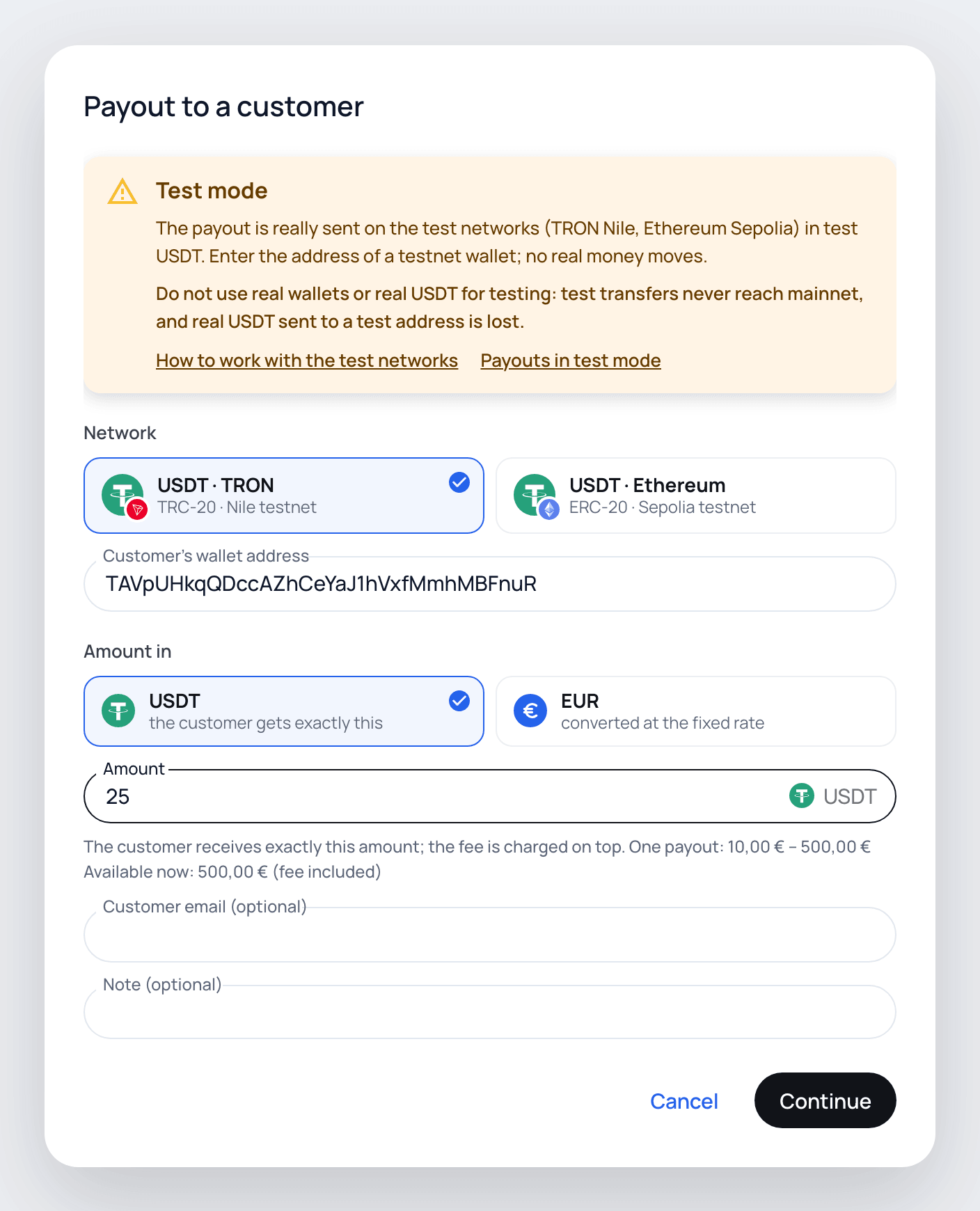
Payouts shows what you can pay out right now (Available for payouts now: your balance, capped by what your daily and monthly limits leave), your terms, the bulk payouts still in progress, the full history and the New payout form: the network (USDT on TRON or on Ethereum), the customer's address, the amount in USDT or EUR, an optional customer email and note. You see the quote (USDT sent, fee, total debited, rate) before confirming. Team members need the Withdraw permission to order payouts; viewers see the history only.
Test mode
In test mode payouts are paid from your test balance (fund it with a test top-up) and never touch real money. The network follows from your mode, the same on every environment:
| Mode | What happens | Address to use |
|---|---|---|
| Test mode | The payout is really sent on the test networks — TRON Nile, Ethereum Sepolia — in test USDT, with no review: ORDERED → APPROVED → COMPLETED, webhooks included. | A testnet wallet you control, to see the coins arrive. |
| Live mode | The payout is sent on TRON / Ethereum in real USDT (within your limits, or after a review). | Your customer's wallet. |
A test payout of exactly 10.01 stays ORDERED, so you can test canceling it and the payout.failed webhook.
One test payout is at most 1,000 USDT, and test payouts are rate-limited per hour.
How to set up a testnet wallet and get free test coins: Testing with the test networks.
Limits, fees, the quote and the balance checks work exactly as in live mode, so a refused test payout tells you
what a live one would get. GET /v2/payouts/limits returns test_payouts: testnet
in test mode, null in live mode.
Webhooks
payout.completed and payout.failed are sent to your webhook URL with the same payload the API returns —
see Webhooks.